How Virtual Try-On Works: Inside an AI Try-On Pipeline
AI virtual try-on is a pipeline of four models, and most quality problems come from what each one is given, not from the prompt.
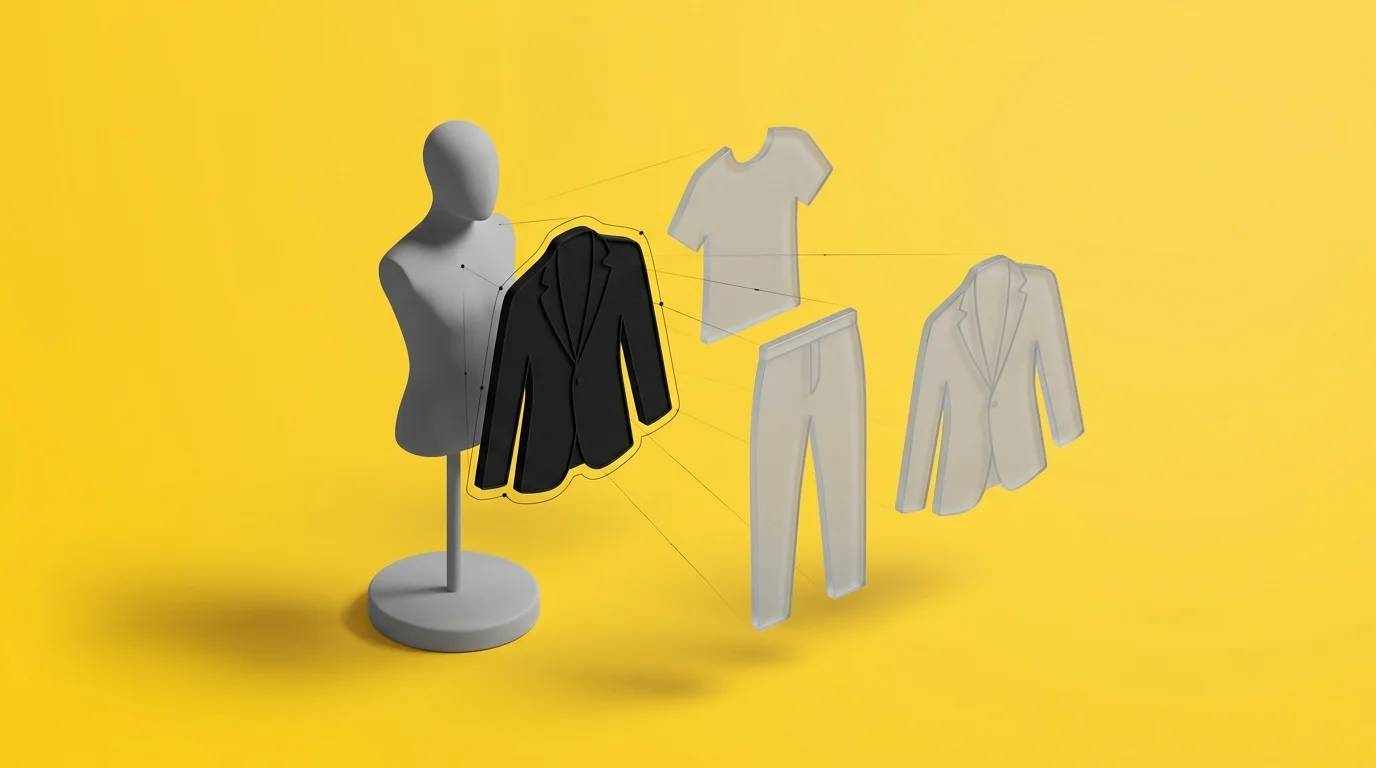
Virtual try-on is four problems, solved by four different models
AI virtual try-on works in four steps: check that the user's photo shows a body a model can dress, find each garment in the source image, cut every garment out cleanly, and render the result onto the user's photo with an image model. In Lookora, our outfit try-on app, those steps run on four different systems: Apple Vision on the phone, Claude for detection, Meta's Segment Anything (SAM 3) for cutouts, and generative image models for the final render.
Splitting the job this way is what made the quality fixable. Almost every visible failure we hit came from the input one model handed to the next.
Step 1: check the photo before paying for a render
A render takes around 25 seconds and costs money, and the try-on model rejects photos where it cannot find a body pose. In an early funnel review, 10 of 16 try-on failures were exactly that rejection. So the app checks the photo on the phone first, using Apple Vision's body pose request on a copy downscaled to 1,024 pixels. A joint counts if its confidence is at least 0.3, and the photo passes if a knee or ankle is visible, or if shoulders and hips both are.
Two choices made this check useful instead of annoying:
- It fails open. If Vision errors, the photo passes. The user sees a warning with "Use anyway", never a hard block.
- It is judged by whether it predicts failures. A second warning for partial bodies fired for 41 people in one week without predicting a single failed render. We removed it.
Step 2: detect garments with a vision LLM
When a user shares an outfit photo, Claude finds the pieces in it. The model is forced to answer through a tool call with a fixed schema: a category from a closed list (top, bottom, dress, outerwear, shoe, bag, accessory, headwear), a two-to-four-word English name, a colour, an optional season and style, and a normalised bounding box. It returns at most eight items and skips anything smaller than about 2% of the frame, after an early scan reported a gold ring that turned out to be a blur. The server clamps the boxes and rejects any category outside the list.
A vision LLM names things very well and buckets them less reliably. It once filed trousers under "top" while calling them trousers in the same answer. The fix was deterministic: when the name contains an unambiguous noun, the name overrides the category. Ambiguous names such as "shirt dress" are still left to the model.
Names stay in English even for users in other languages, because the next model in the chain takes them as its prompt.
Step 3: cut garments out with Segment Anything
The first version cropped each bounding box as a rectangle. It looked bad: crops included arms and background, and one box meant for a watch landed on a leg. Detection and segmentation are different jobs, so we gave segmentation its own model.
SAM 3 takes a text prompt, which is Claude's name for the piece, and returns up to three candidate masks. We keep the mask that overlaps Claude's box best, so the two models check each other: Claude knows what the item is, SAM knows exactly which pixels belong to it. The cutout is then trimmed and placed on a white background, capped at 1,024 pixels on the long edge. If segmentation fails, the app falls back to Apple Vision's cutout on the device, and then to the plain box crop.
Duplicates are caught with Vision feature prints: the same garment photographed twice lands at a distance of roughly 0.4 to 0.8, two different white shirts at 1.1 to 1.6, and the merge threshold sits at 0.85.
Step 4: render, and change the input rather than the prompt
Lookora uses two renderers: a dedicated try-on model for a single garment, and a multi-reference image editing model for complete looks. The second gives better results, so most flows now go through it.
The hardest bug was identity. When the inspiration photo showed a full-body model, the renderer kept that model's face and body instead of the user's. We tried five prompt wordings and both orders of reference images. None worked. What worked was changing the input: cut the garments out first, so the user is the only person the renderer ever sees. Identity then held in 5 of 5 test renders, at the cost of 6 to 8 extra seconds.
Prompt wording still matters, in a specific way. Words describing the body act like an intensity dial. Repeating "muscular" produced bodybuilders. A phrase about being barefoot on a tiled floor pulled a kitchen into a studio shot. "Average build" came back slimmer than the user. Each fix was the same: say it once, give it a ceiling, and filter body descriptions so they cannot add a scene.
Guardrails that collect data before they block anyone
Before a render, a fast Claude Haiku call classifies the garment, including categories such as swimwear or lingerie and whether the item is shown on a person. It has a four-second timeout and fails open. The gate runs in shadow mode by default: it logs what it would have blocked, so we can see rejected inputs that used to be invisible, and enforcement is enabled only where the data supports it.
The same pattern runs through the whole pipeline: fail open, log everything, and decide with numbers instead of guesses.
What this means if you are building try-on
- Pick a model per step. A strong vision LLM for naming and boxes, a segmentation model for pixels, a fast small model for gating.
- Let models check each other, the way the SAM mask is chosen by overlap with the LLM's box.
- When output is wrong, look at what the model received before rewriting the prompt.
- Measure every warning by whether it predicts a real failure, and remove the ones that do not.
Lookora is one of the products we build and run ourselves; see the rest in MetaProject Labs. If you are combining several AI models into one product, our Generative AI & LLM Engineering team works the same way on client systems.

Recent blog posts

The model proposes, the code decides. How a deterministic engine catches hallucinated distances, impossible days and broken schedules in an AI road-trip planner.