Turning court deadlines into tasks lawyers can't miss
A legal-tech startup wanted to give law firms one place to run their practice. We built the product for iOS, Android and web, it reached 10% of the lawyers in its launch market, and we still support and develop it.
A law firm runs on dates it does not control
Hearings move, decisions land, and each change has to reach the right lawyer with the right task attached. Much of that tracking used to happen by hand, across court registries, calendars and chat threads, and a missed change can cost a client their case.
The client, a legal-tech startup, wanted one product for the whole practice: cases, tasks, the firm's own structure, communication and billing, available on a phone in court as well as at a desk.
The brief: one platform that keeps every case, deadline and conversation in step with the court, and works for a solo lawyer as well as for a firm with a hierarchy.
A moved hearing is a missed hearing
Court dates change often. If a change reaches the lawyer late, the firm risks its client's case and its own reputation.
Firms are not flat
Partners, associates and assistants need different access. A tool that treats everyone the same either exposes too much or blocks real work.
Pricing had to grow with the firm
Firms add people between billing cycles. Charging fairly for that, without manual invoicing, decides whether a small firm can start and a large one can stay.
Four decisions that put the court calendar to work
Let the court registry feed the case file
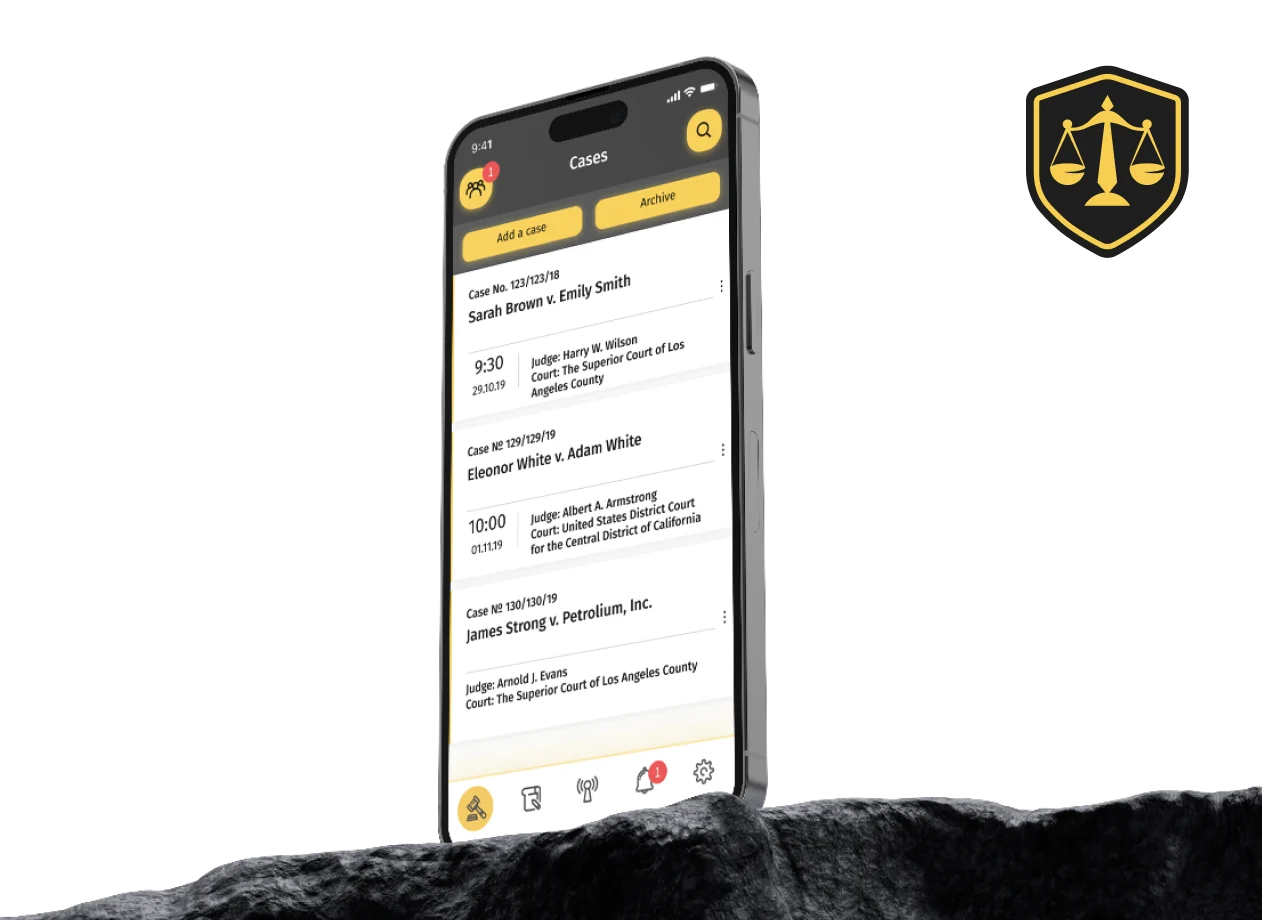
Lawyers add the cases they handle straight from the court registry, and hearing dates and decisions stay in sync from then on. Manual entry remains for anything the registry does not cover.
Turn every date change into a task
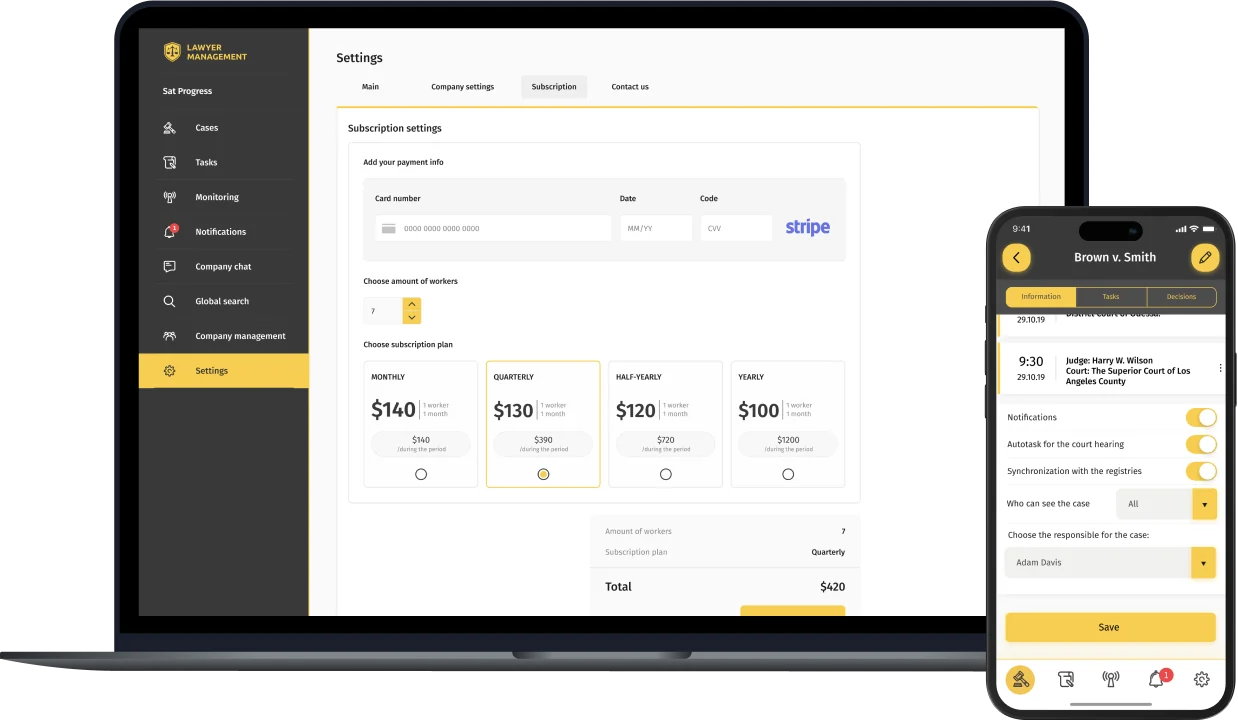
When a hearing date changes, the system creates the follow-up tasks on its own, with deadlines, priorities and assignees. Each user sees one filtered, prioritised list of what is theirs, and notifications flag new cases and decisions first.
Make the firm's structure part of the product
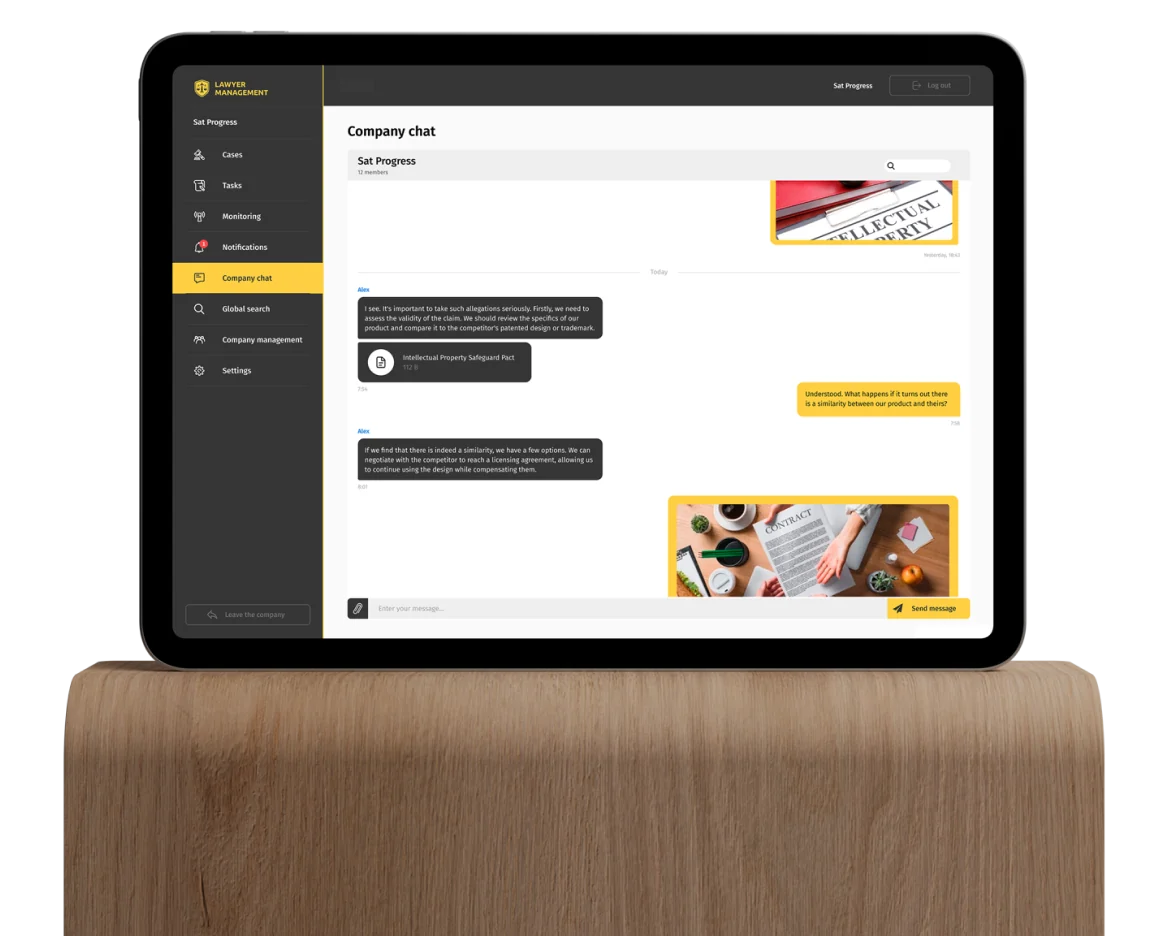
Firms define their own roles, hierarchy and permissions, and that structure shapes what each person can see and do in the app. Lawyers message mentors and colleagues, share files and discuss cases in group chats inside the same system.
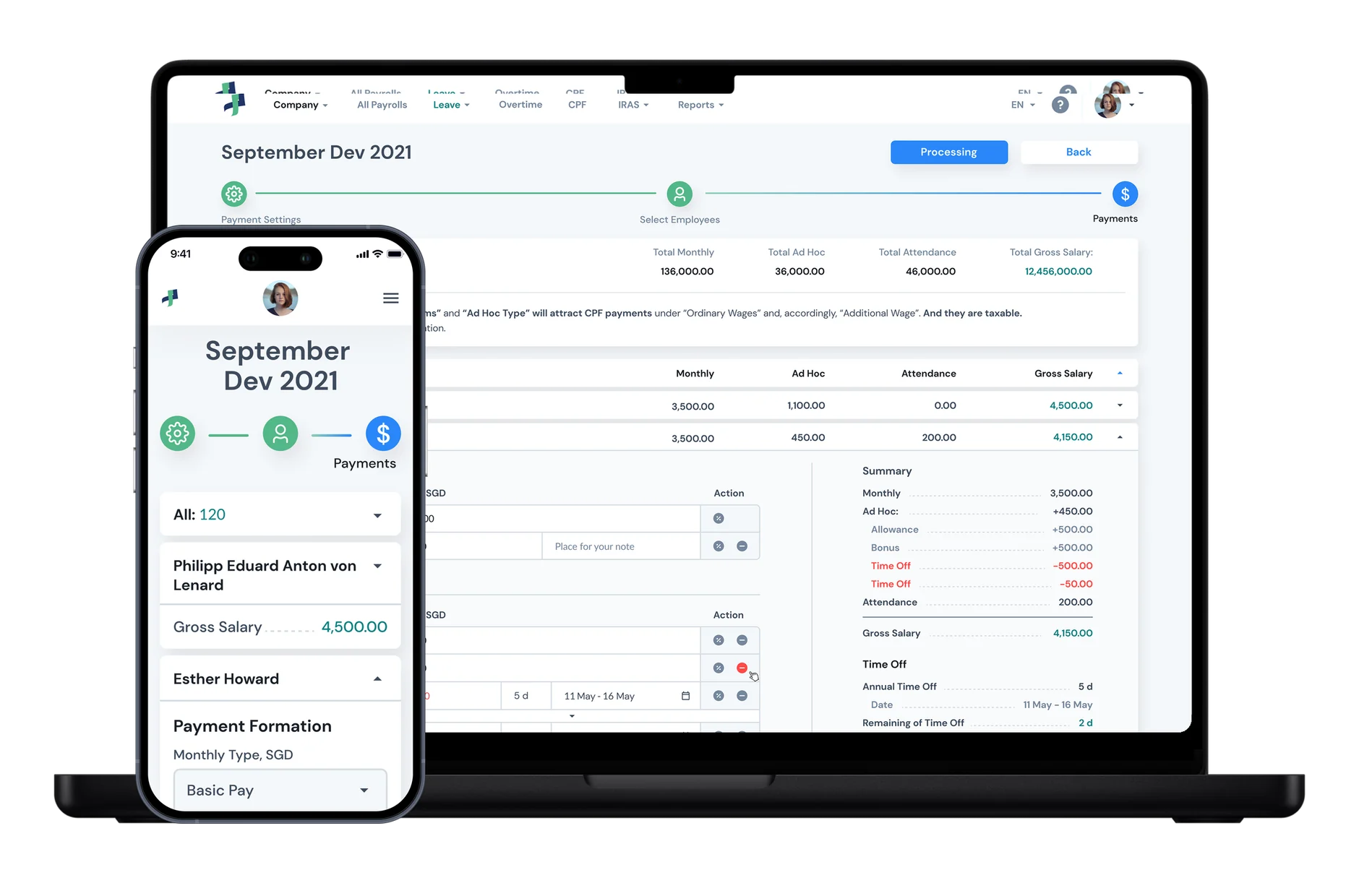
Price per seat and prorate the rest
The subscription follows the number of users. When a firm adds someone mid-cycle, the platform recalculates the remaining days and updates the recurring payment automatically. New firms start with an unrestricted trial.
A product we keep building with the client
The platform reached 10% of the lawyers in its launch market and holds a 4.8 average rating in the app stores.
MetaProject continues to support and develop it. The product now also covers monitoring, where lawyers follow a company or a person and get notified about new cases, address changes and other legal events, and a global search across cases, courts, organisations, lawyers and notaries.
10%
of lawyers in the launch market
4.8
average app store rating
3
platforms: iOS, Android, web
2 weeks
free trial for every new firm
10%
of lawyers in the launch market adopted it
4.8
average rating in the app stores
3
platforms with the same features
Case management synced with the court registry, automatic tasks, roles and permissions, messaging and group chats, notifications, global search, entity monitoring and per-seat subscription billing, on iOS, Android and web.
Swift · Kotlin · PHP · Python · Vue.js
Questions about this project
How does the platform keep cases in sync with the court?
Lawyers add cases straight from the court registry, and hearing dates and decisions stay synchronised from then on. When a date changes, the system creates the follow-up tasks with deadlines, priorities and assignees automatically.
Can a law firm mirror its own structure in the app?
Yes. Firms define their own roles, hierarchy and permissions, and that structure decides what each person can see and do, from case access to company settings.
How does pricing work when a firm adds people mid-cycle?
The subscription is per seat. When someone is added between payments, the platform recalculates the remaining days and updates the recurring payment automatically, and new firms start with a two-week trial without limits.
Which platforms does it run on?
iOS, Android and the web, with the same features on each, so lawyers can work from a phone in court or from a desk in the office.
Can you share the client name?
The client name is withheld under NDA. Get in touch if you'd like to discuss the engagement in more detail under a mutual NDA. We can walk through the architecture and operational decisions at a level not appropriate for public material.
See more cases










Is your team still tracking critical dates by hand?
Tell us what you are building. We will come back with an honest view of how we would approach it.