Store performance in one tap, for owners and their staff
A fintech startup wanted retail owners to see sales, plans, cash and staff performance live on their phone. We built the mobile and web product on top of fiscal data feeds, then handed it to the client's team.
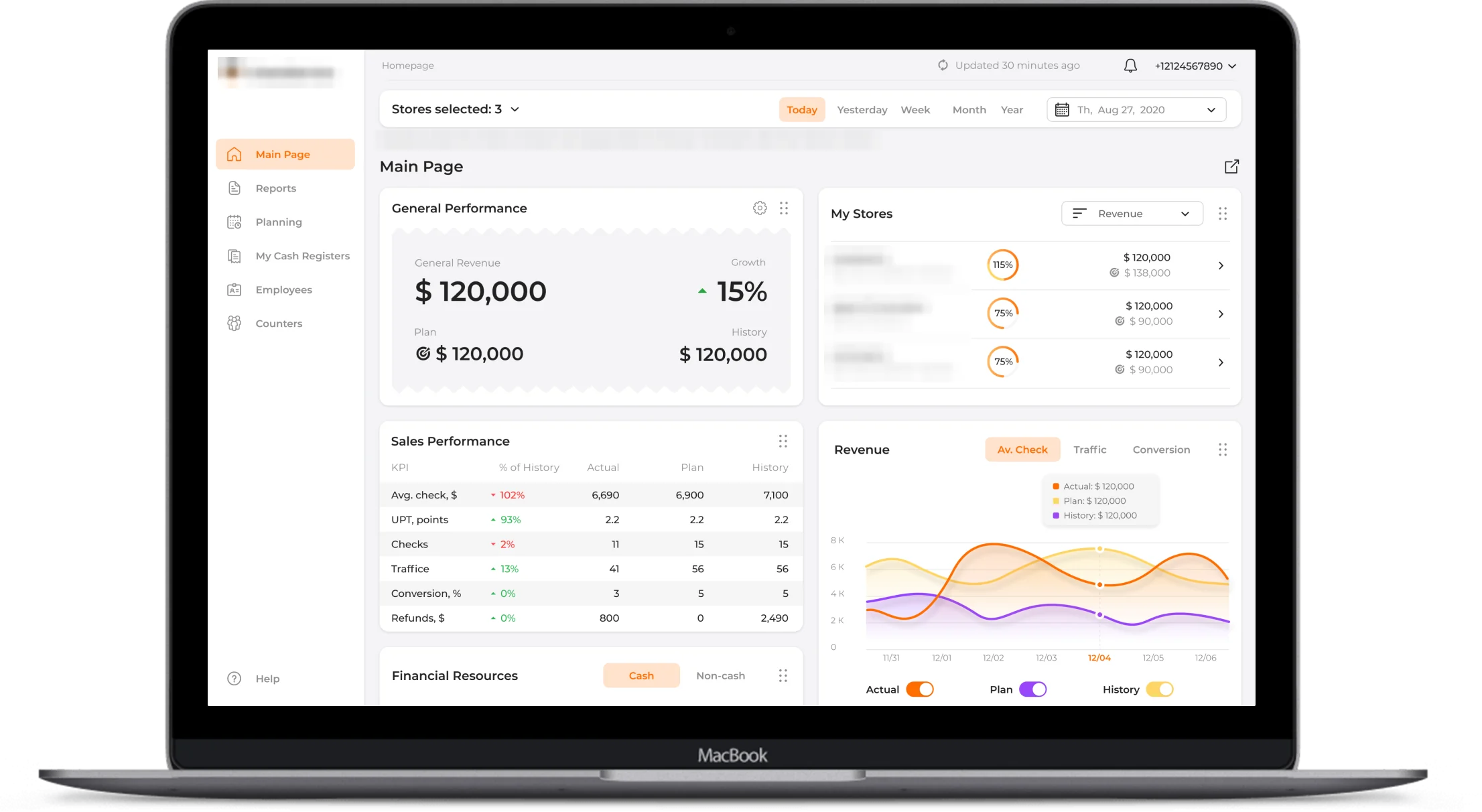
Store owners needed the numbers while the day was still running
A retail owner with several stores has the data they need spread across cash registers, payment terminals, spreadsheets and staff schedules. By the time it is collected into a report, the day that report could have changed is over.
The client, a fintech startup, set out to build an analytics and planning tool for retail businesses that works from data the business already produces, with the security a financial product needs.
The brief: live sales, plans and staff performance for owners and managers, a motivating view for employees, and a setup simple enough to finish in minutes.
Setup decides adoption
If connecting stores and registers takes an afternoon of configuration, a busy owner never gets to the first useful screen.
Plans nobody updates
A sales plan built once in a spreadsheet goes stale within weeks. It has to rebalance as the month moves.
Financial data needs bank-level care
The product reads accounting and tax data, so a lost phone or an open screen could not become a leak.
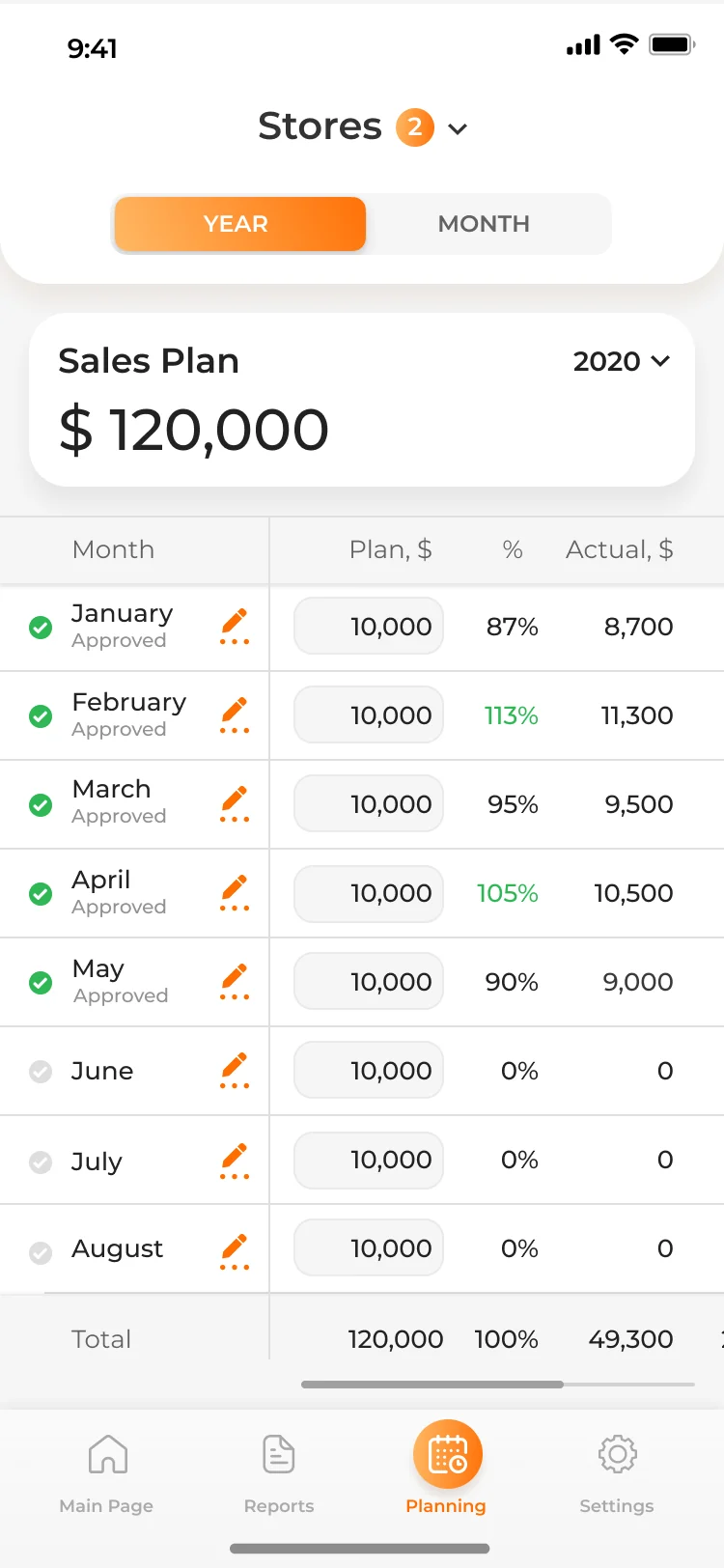
Four decisions that made analytics usable on the shop floor
Connect to fiscal data, then set up automatically
Once a user connects a supported fiscal data provider, the system collects every registered cash desk and payment terminal with its location and assigns them to stores. Users can still move registers, create stores and group them with tags.
Plans that rebalance themselves
Owners set a plan in a couple of taps or tune every day in a spreadsheet-like yearly view, for a store or for each employee. Change one day's target and the rest of the month recalculates so the total stays the same.
One app, two views
Employees log into the same app and get their own interface: their KPIs, shifts worked, what they sold and a leaderboard against their closest colleagues. Managers see ratings, profiles and permissions for the whole team.
Security at banking-app level
Two-factor authentication by phone and email, a PIN or Face ID, and screens that blur in the multitasking menu. Every cash movement, from collection to office supplies, is recorded and exportable.
A planning tool the client's team could grow on its own
The client's team received a product that turns data retailers already generate into decisions during the working day: revenue against plan, hourly trends, cash movements, conversion from store traffic counters and each seller's contribution. Every mobile feature is also available on the web.
Employees see the same numbers as their manager for their own KPIs, which turns the sales plan from a report into something the whole store works towards.
<5 min
from connection to first dashboard
1 tap
to live store performance
2
views: manager and employee
Web
and mobile with the same features
<5 min
setup after connecting fiscal data
1 tap
to sales, cash and staff performance
2FA
plus PIN or Face ID and blurred screens
XLS
export of cash reports
Live sales and conversion dashboards, interactive charts, cash flow and collection history, sales planning by store and employee, employee ratings and permissions, a separate employee view, traffic counter analytics, XLS exports and a full web version.
Native iOS and Android apps · web dashboard · fiscal data integrations · store traffic counter integration
Questions about this project
How long does it take a store owner to get started?
Under five minutes. After connecting a supported fiscal data provider, the system collects every registered cash desk and payment terminal with its location and assigns them to stores automatically.
How do sales plans stay realistic during the month?
Owners set a plan per store or per employee in a spreadsheet-like view. Change one day's target and the rest of the month recalculates so the total stays the same.
What do employees see?
The same app with their own interface: their KPIs, shifts worked, what they sold and a leaderboard against their closest colleagues, which turns the sales plan into something the whole store works towards.
How is financial data protected?
Two-factor authentication by phone and email, a PIN or Face ID, and screens that blur in the multitasking menu, because the product reads accounting and tax data.
Can you share the client name?
The client name is withheld under NDA. Get in touch if you'd like to discuss the engagement in more detail under a mutual NDA. We can walk through the architecture and operational decisions at a level not appropriate for public material.
See more cases










Are your managers deciding on yesterday's numbers?
Tell us what you are building. We will come back with an honest view of how we would approach it.